File Formats: A Deep Dive
In the Digital Media world, files are used constantly. We all use them every day, but do we truly understand how they work? There are so many different file formats and compression methods, sometimes it can be hard to keep up. It’s very important to use compression and file types properly to ensure everything runs smoothly; you have to use the right tool for the job. If the wrong tool is used, it can slow everything down and make life harder for everyone.
The Goal
As someone wanting to work in the digital media industry, I needed to really understand the different formats and compression methods. Using the right file type is incredibly important; it can optimize websites, ensure the highest quality, make sharing easier, and so much more. To achieve file type enlightenment, I had to perform my own tests and write an in-depth research paper on my findings.
Initial Research
The first thing I did was some quick googling. I put together a list of all the different file formats used for images, audio, and video, with a brief history of each. This was just to get some basic knowledge about each of the formats; context about where and when they were created, the goal behind their creation, and their average use cases. It was difficult to find some of this information online, as a lot of these file formats are very old.
Getting Started with Photoshop Exports
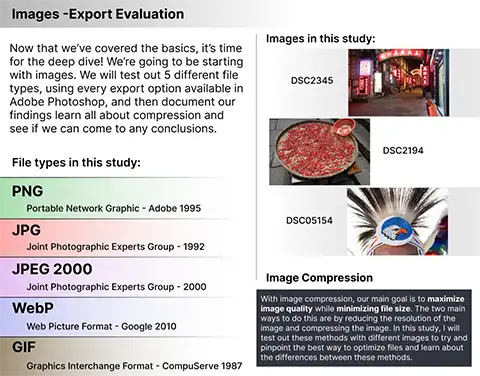
Now that I had some basic knowledge, it was time to do some testing. I picked 3 images and exported each one with different compression quality levels, resolutions, and file formats. Not only this, but photoshop also has different methods for exporting in their menu system, so I tested all of those differences as well. I made sure to have a proper naming convention so I could keep all my files organized. I ended up with about 80 different variations of the original images. This process took a very long time. After doing all of these exports, I put my findings together into a document, allowing me to compare the file sizes and image quality.
Audio Formats
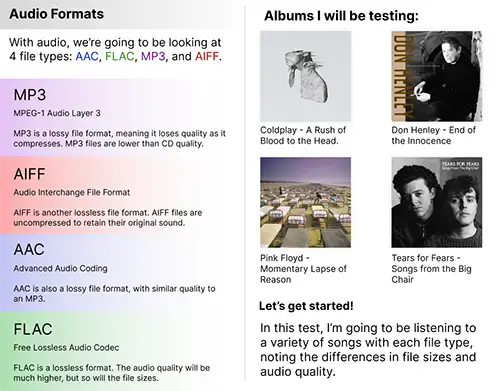
Audio formats were pretty tough for me. While I wanted to test out the correlation between file size and quality, I couldn’t hear the difference between the different quality levels. MP3s are much lower quality than other formats such as FLAC, but they sounded the same to me. This could have been because of my equipment, but regardless it made testing a bit difficult.
Compiling the Final Document
Now that I had all of this information, I wanted to display it in a clear, concise way. This was a bit of a challenge; it was a lot of technical information, so it was hard to display it in a way that made sense and looked aesthetically pleasing. I had a lot of very similar looking images and tables of file sizes. I decided some color coding could help everything be a little easier to understand, so I used a single color for each file type. Then it was just a matter of laying everything out on the page. If you would like to view the final document, you can download it here (The file is 125MB).
Looking Back
At 55 pages long, this was the longest document I had ever made. It was a lot of work and much of it was quite tedious, but I learned many valuable things in the process. It was great practice to lay out technical information, and I really do understand file formats now. Now if I need to use an image for something, I know that I’ll use the right format for the job. This is going to be a huge asset to me throughout my life and career.